Destructuring in JavaScript
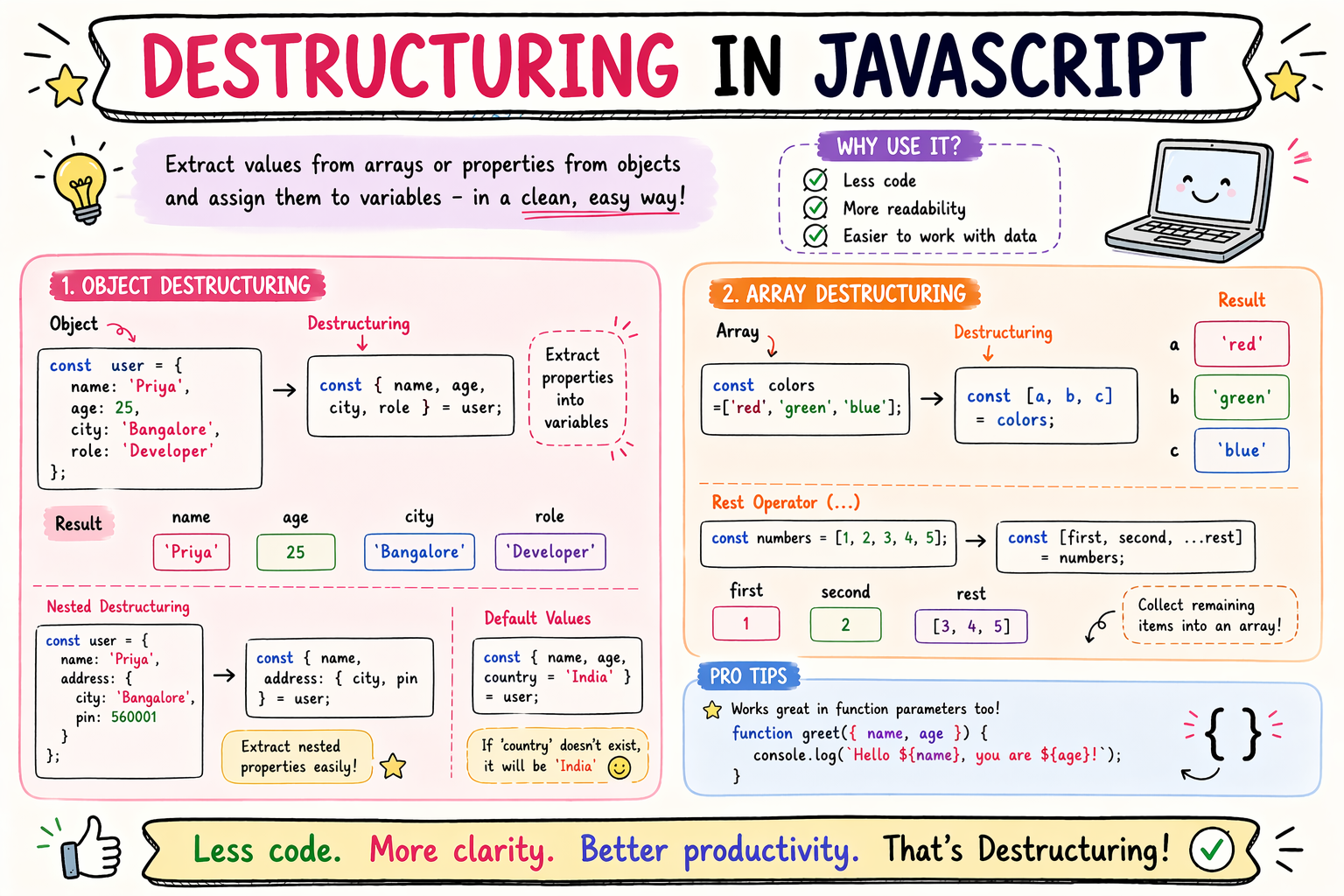
When I first saw destructuring, I thought the name sounded much harder than the concept.
Destructuring.
It sounded like breaking something apart.
And honestly… that is kind of what it is.
But in a useful way.
The first time I saw code like this:
const user = {
  name: "Sahil",
  age: 23
};

const { name, age } = user;
I stared at it for a few seconds.
Why are curly braces on the left side?
Why not just do:
const name = user.name;
That felt normal.
This looked strange.
But once I understood what it was doing…
I started using it everywhere.
Because it removes repetition.
And makes code cleaner.
What Destructuring Means
In simple words:
Destructuring means taking values out of an array or object and putting them into variables.
That’s all.
You’re unpacking data.
Extracting values.
Pulling pieces out.
That scary name sounds much bigger than the idea.
Before I Learned Destructuring
This is how I used to write code.
const user = {
  name: "Sahil",
  age: 23
};

const name = user.name;
const age = user.age;
Nothing wrong with this.
It works.
But notice:
user keeps repeating.
Again.
And again.
And again.
That repetition is what destructuring helps reduce.
With Destructuring
Same thing becomes:
const user = {
  name: "Sahil",
  age: 23
};

const { name, age } = user;
That means:
Take name from user
Take age from user
Create variables with those values
Now:
console.log(name);
console.log(age);
Works.
Much cleaner.
And once this clicked…
I loved it.
Think of It Like Unpacking a Bag
This analogy helped me.
Suppose you have a bag.
Inside:
Wallet
Phone
Keys
Instead of saying:
Take bag.wallet
Take bag.phone
Take bag.keys
You unpack everything at once.
That is destructuring.
Same idea.
Destructuring Arrays
It also works with arrays.
Suppose:
const colors = ["red","blue","green"];
Without destructuring:
const first = colors[0];
const second = colors[1];
With destructuring:
const [first, second] = colors;
Now:
console.log(first);
Output:
red
Very nice.
Array Destructuring Feels Like Position Mapping
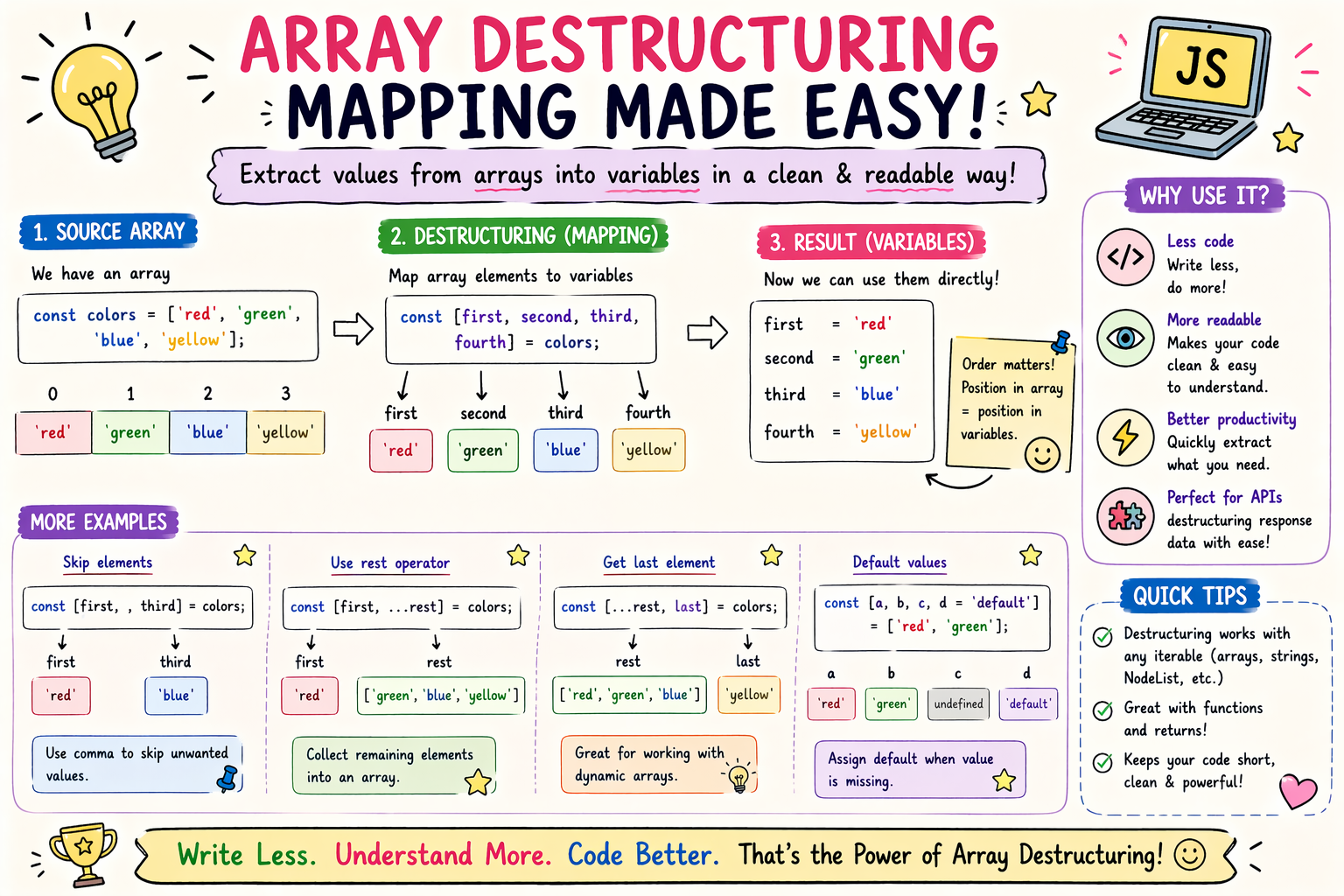
I think of it like this:
["red","blue","green"]

 ↓    ↓

first second
By position.
First item goes to first variable.
Second item goes to second variable.
Simple.
Skipping Values
This surprised me when I learned it.
You can skip items.
const colors = ["red","blue","green"];

const [first,,third] = colors;
Notice extra comma.
Now:
console.log(third);
Output:
green
Very useful sometimes.
Object Destructuring Feels Like Property Extraction
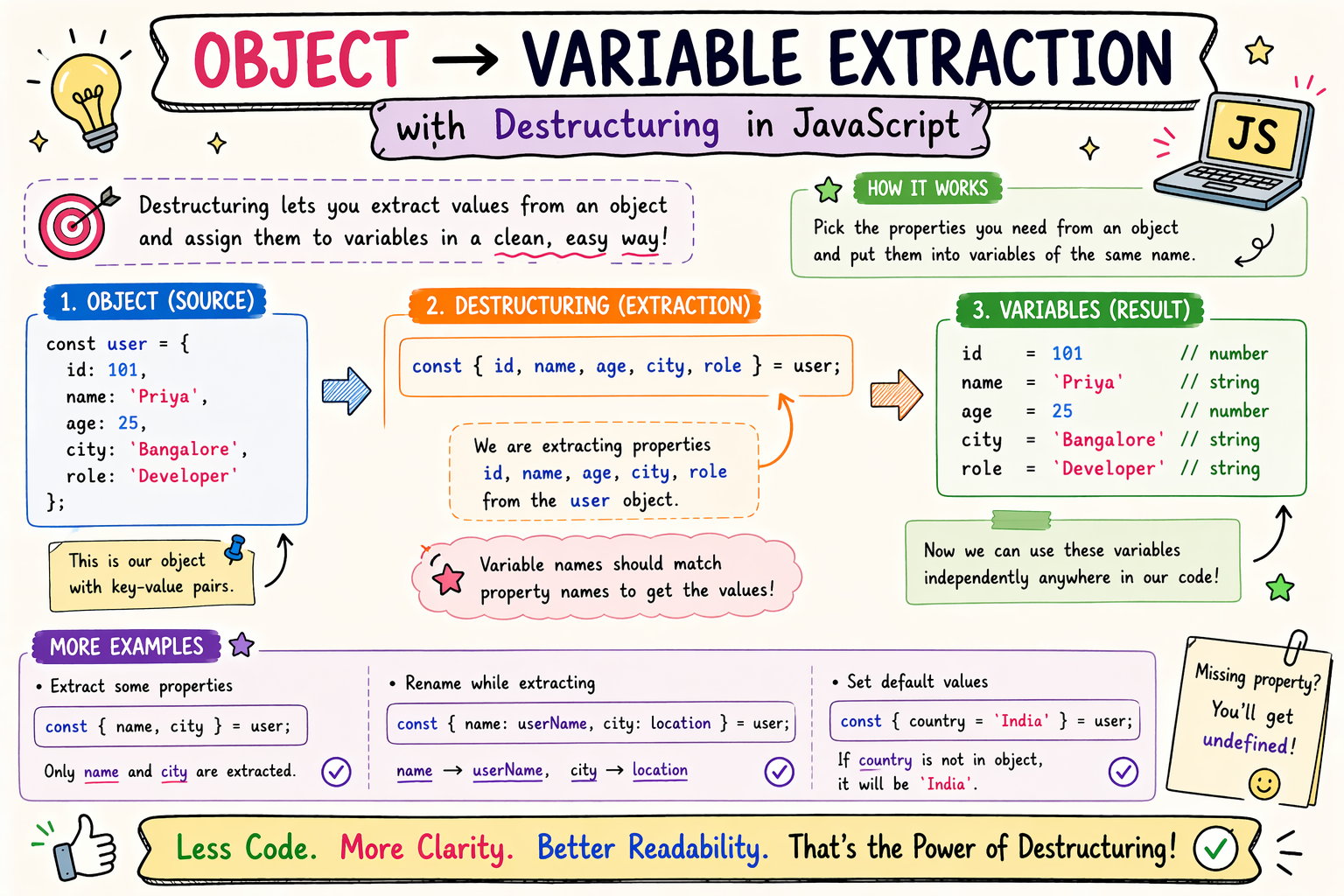
With objects:
const user = {

name:"Sahil",

city:"Bangalore"

};

const {name,city} = user;
I think of it like:
user object

name  → variable name

city  → variable city
Extract properties.
That’s it.
Default Values
This feature saved me many times.
Suppose a property doesn’t exist.
const user = {

name:"Sahil"

};
Now:
const {name,role="Developer"} = user;
Since role doesn’t exist…
default is used.
console.log(role);
Output:
Developer
Very useful.
Especially with missing data.
This Was a Big “Ohhh” Moment
Defaults work in arrays too.
const [a=1,b=2] = [];
Since array is empty:
a = 1

b = 2
That felt powerful.
Why It Reduces Repetitive Code
This was the main benefit for me.
Before:
const user = data.user.name;
const email = data.user.email;
const city = data.user.city;
Repeated object access.
With destructuring:
const {name,email,city} = data.user;
Cleaner.
Less repetition.
Less typing.
Less visual noise.
That’s why people use it so much.
Real Use Case I See Often
APIs.
Suppose response:
const response = {

id:1,

title:"JavaScript",

author:"Sahil"

};
Instead of:
console.log(response.title);
You can do:
const {title,author} = response;

console.log(title);
Very common.
Destructuring in Function Parameters
This felt advanced at first.
But it’s actually very useful.
Instead of:
function showUser(user){

 console.log(user.name);

}
You can do:
function showUser({name}){

 console.log(name);

}
Very neat.
You extract directly.
I started liking this a lot.
Before vs After
This comparison made it obvious.
Before:
const student = {

name:"Aman",

age:20

};

const name = student.name;

const age = student.age;
After:
const student = {

name:"Aman",

age:20

};

const {name,age} = student;
Same result.
Less code.
Cleaner.
Small Practice Example
Try this:
const fruits = ["Apple","Banana","Mango"];

const [first,second] = fruits;

console.log(first);
console.log(second);
Then try object:
const user = {

name:"Sahil",

skill:"JavaScript"

};

const {name,skill} = user;

console.log(skill);
Very simple practice.
But useful.
Common Mistake I Made
Confusing brackets.
Arrays use:
[]
Objects use:
{}
I mixed these up a lot.
Array:
const [first] = colors;
Object:
const {name} = user;
That distinction matters.
What Finally Made It Click
I stopped thinking:
“Destructuring is weird syntax.”
And started thinking:
“It’s just unpacking values.”
That made everything easier.
Sometimes the concept is simple…
but the syntax scares us.
That happened here.
Benefits of Destructuring
For me, biggest benefits are:
Less repetitive code
Cleaner syntax
Easier to read
Easy defaults
Very useful with APIs and objects
And honestly…
those are big wins.
Conclusion
When I first saw destructuring, I thought it looked strange.
Now it feels normal.
And I use it constantly.
Because it solves a simple problem:
Too much repetition.
If you remember one thing from this article, remember this:
Destructuring is just unpacking values into variables.
That’s all.
Once that clicks…
the syntax stops looking scary.
And it becomes one of those JavaScript features you use all the time.
If you like this simple learning-style explanation,
I write more notes at
and share progress on LinkedIn 🙂


