Template Literals in JavaScript

When I first started writing JavaScript, strings felt like the easiest thing in the world.
You put text inside quotes.
Done.
let language = "JavaScript";
Simple.
No confusion.
No problems.
But then I started building actual programs.
And suddenly strings were not just text anymore.
They started including variables.
Dynamic values.
User names.
Prices.
Messages.
And that’s where I started using string concatenation.
let name = "Sahil";

console.log("Hello " + name);
It worked.
So I kept doing it.
Then the strings got longer.
And things started becoming messy.
I’d write something like this:
let product = "Laptop";
let price = 50000;

console.log(
"The " + product + " costs " + price + " rupees"
);
Still worked.
But it started feeling ugly.
Too many plus signs.
Too many quotes.
Too much joining.
And sometimes I’d miss a space and get weird output like:
The Laptopcosts 50000 rupees
And I’d spend time fixing… a sentence 😅
That was the point I realized:
There has to be a better way to write strings.
That’s when I found template literals.
And honestly…
it felt like one of those features that makes you wonder:
Why wasn’t I using this from day one?
The Problem With Traditional String Concatenation
Concatenation is just joining strings together.
That’s all.
let firstName = "Sahil";
let lastName = "Khan";

console.log(
firstName + " " + lastName
);
Nothing wrong with it.
It works.
But as the sentence grows…
the code gets harder to read.
Imagine this:
let user = "Sahil";
let city = "Bangalore";
let skill = "JavaScript";

console.log(
"My name is " + user +
" and I live in " + city +
" and I am learning " + skill
);
It works.
But honestly…
it feels like assembling a sentence with glue.
That’s the problem template literals solve.
Readability.
What Are Template Literals?
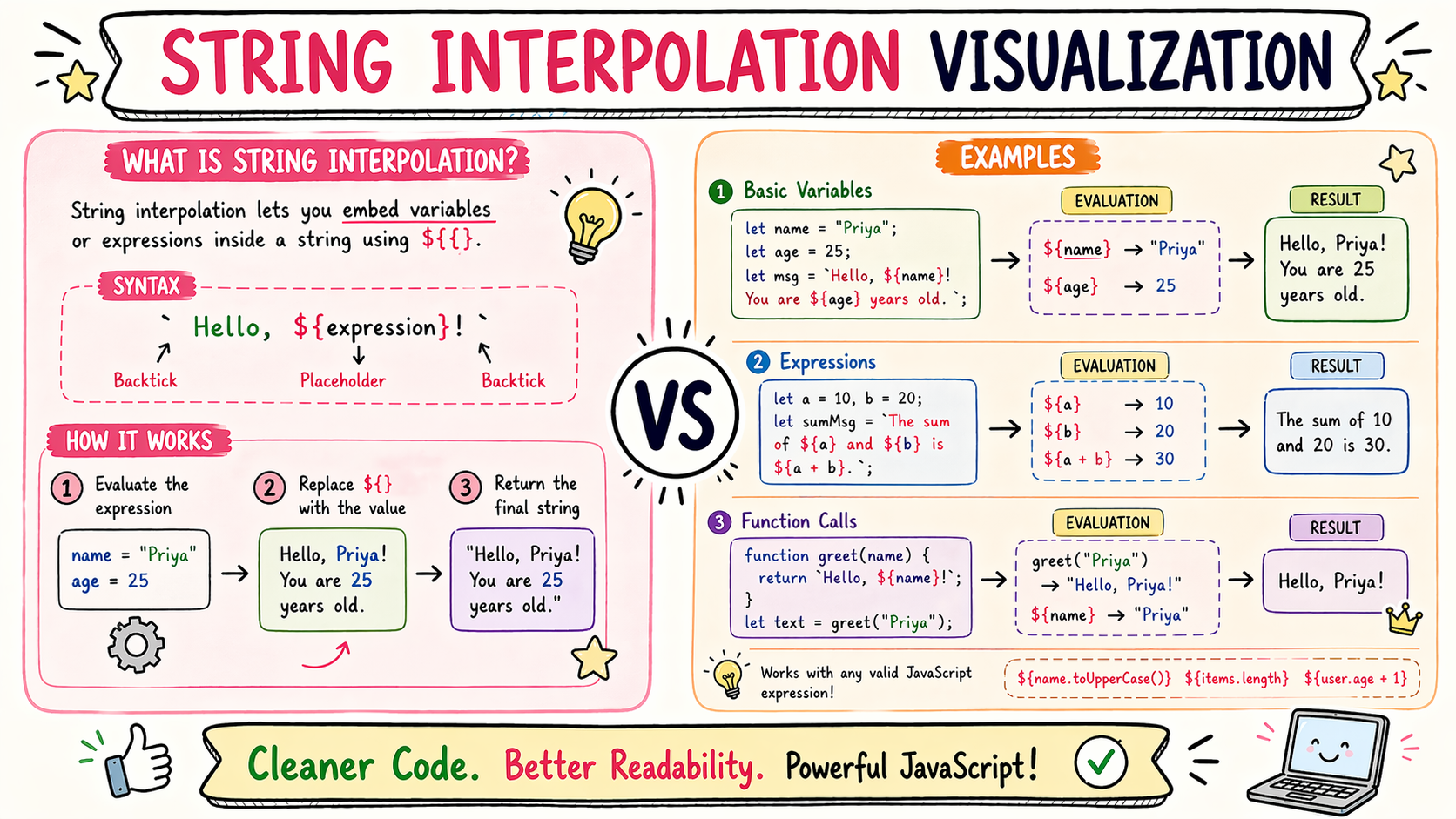
Template literals are a modern way to create strings.
Instead of quotes:
" "
or
' '
they use backticks:
` `
That small difference unlocks a lot.
Embedding Variables Becomes Easier
Old way:
let name = "Sahil";

console.log(
"Hello " + name
);
Template literal way:
let name = "Sahil";

console.log(
`Hello ${name}`
);
That:
${ }
lets you insert values directly inside a string.
And suddenly…
the sentence looks like a sentence again.
Not a puzzle made of plus signs.
It Reads More Like Natural English
Compare these:
"The user " + name +
" has " + score +
" points"
Now:
`The user \({name} has \){score} points`
The second one feels much cleaner.
Less mental work.
You read it once and understand it.
Expressions Work Too
This surprised me at first.
It’s not just variables.
Expressions work too.
let a = 10;
let b = 5;

console.log(
`Sum is ${a+b}`
);
Output:
Sum is 15
You can even do:
let price = 200;
let qty = 3;

console.log(
`Total = ${price * qty}`
);
Output:
Total = 600
Very useful.
Multi-line Strings Became Easy
Before:
let text =
"Line 1\n" +
"Line 2\n" +
"Line 3";
Now:
let text = `
Line 1
Line 2
Line 3
`;
Done.
This honestly felt magical to me.
Where I Use Them All the Time
Dynamic Messages
let user = "Sahil";

console.log(
`Welcome back ${user}`
);
Building URLs
let id = 25;

fetch(
`/api/users/${id}`
);
HTML Templates
let title = "JavaScript";

let card = `
<h1>${title}</h1>
`;
Once you start using them…
you keep using them.
Common Mistake I Kept Making
Using quotes instead of backticks.
Wrong:
"Hello ${name}"
Output:
Hello ${name}
Correct:
`Hello ${name}`
Interpolation only works with backticks.
I learned that the hard way.
Before vs After
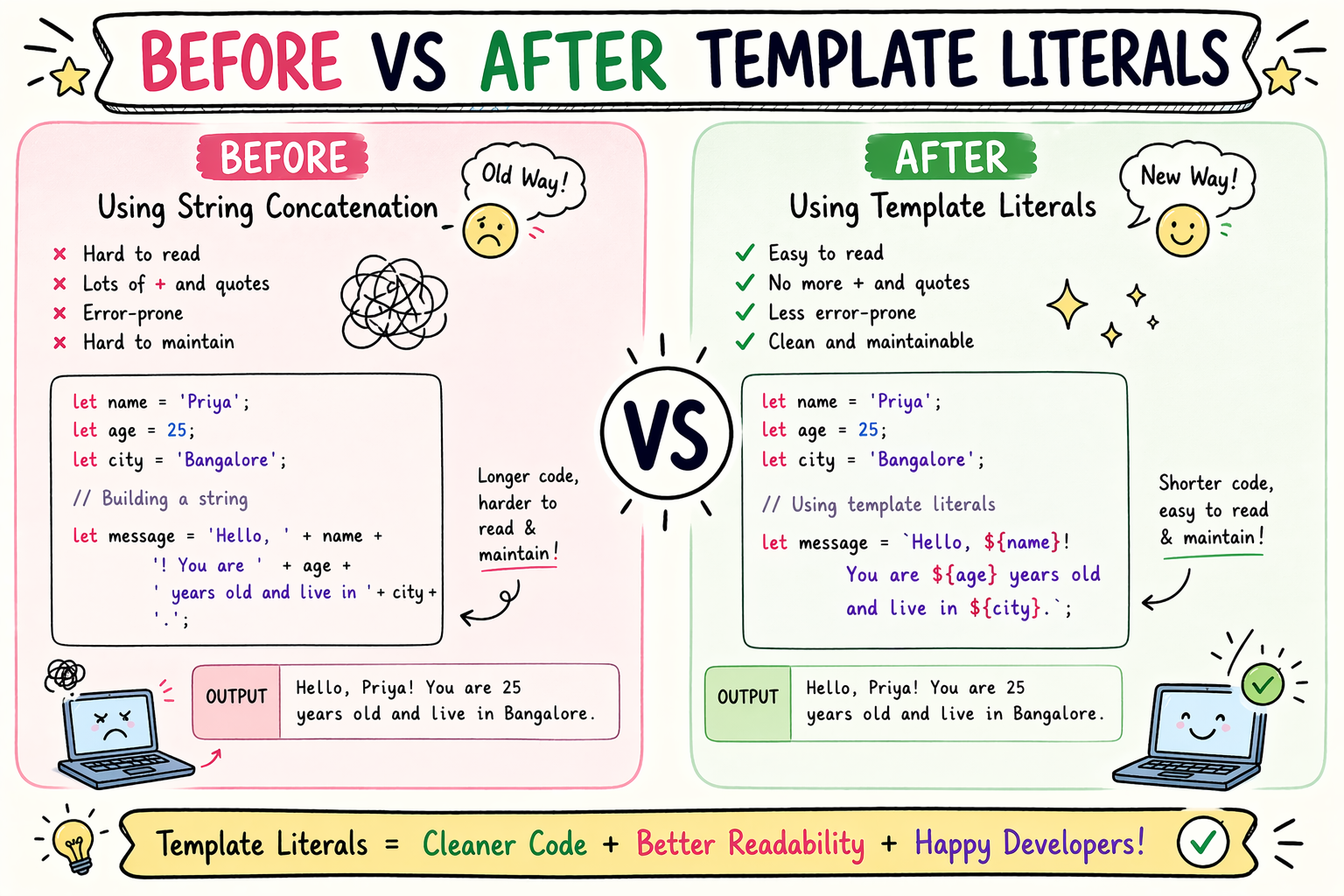
Old:
let user="Sahil";
let city="Bangalore";

console.log(
"My name is " + user +
" and I live in " + city
);
New:
let user="Sahil";
let city="Bangalore";

console.log(
`My name is \({user} and I live in \){city}`
);
Same result.
Much cleaner.
And once I saw them side by side…
there was no going back.
What Finally Made It Click
I stopped thinking:
“These are fancy strings.”
And started thinking:
“These are strings with placeholders.”
That made much more sense.
And once I saw them that way…
everything became easy.
Conclusion
For a long time I used concatenation because it was all I knew.
And it worked.
But template literals made writing strings feel much smoother.
Cleaner.
Less cluttered.
Less error-prone.
And much easier to read.
If you remember one thing from this article, remember this:
Use backticks when your string needs variables.
That one habit alone improves your JavaScript.
And honestly…
small features like this often make the biggest difference.
If you like this simple learning-style explanation,
I write more notes at
devwithsahil.hashnode.dev
and share progress on LinkedIn 🙂


